Start a free trial
Create a workspace on Standard or Professional with a 14-day free trial and no card, and what happens when the trial ends.
Steps
- On Relay's home page, choose a plan and select Start free trial (or Start a free trial on the sign-in page). The page shows your estimate, for example 3 users × £10 = £30 / month on Standard, after the 14-day trial.
- Select Start free trial on <Plan>. Sign in, or create a sign-in at the identity provider (your email must be verified).
- Create your workspace — Your 14-day free trial starts now. No card needed. Choose the Plan to try, a Workspace name and a Time zone, then Start free trial.
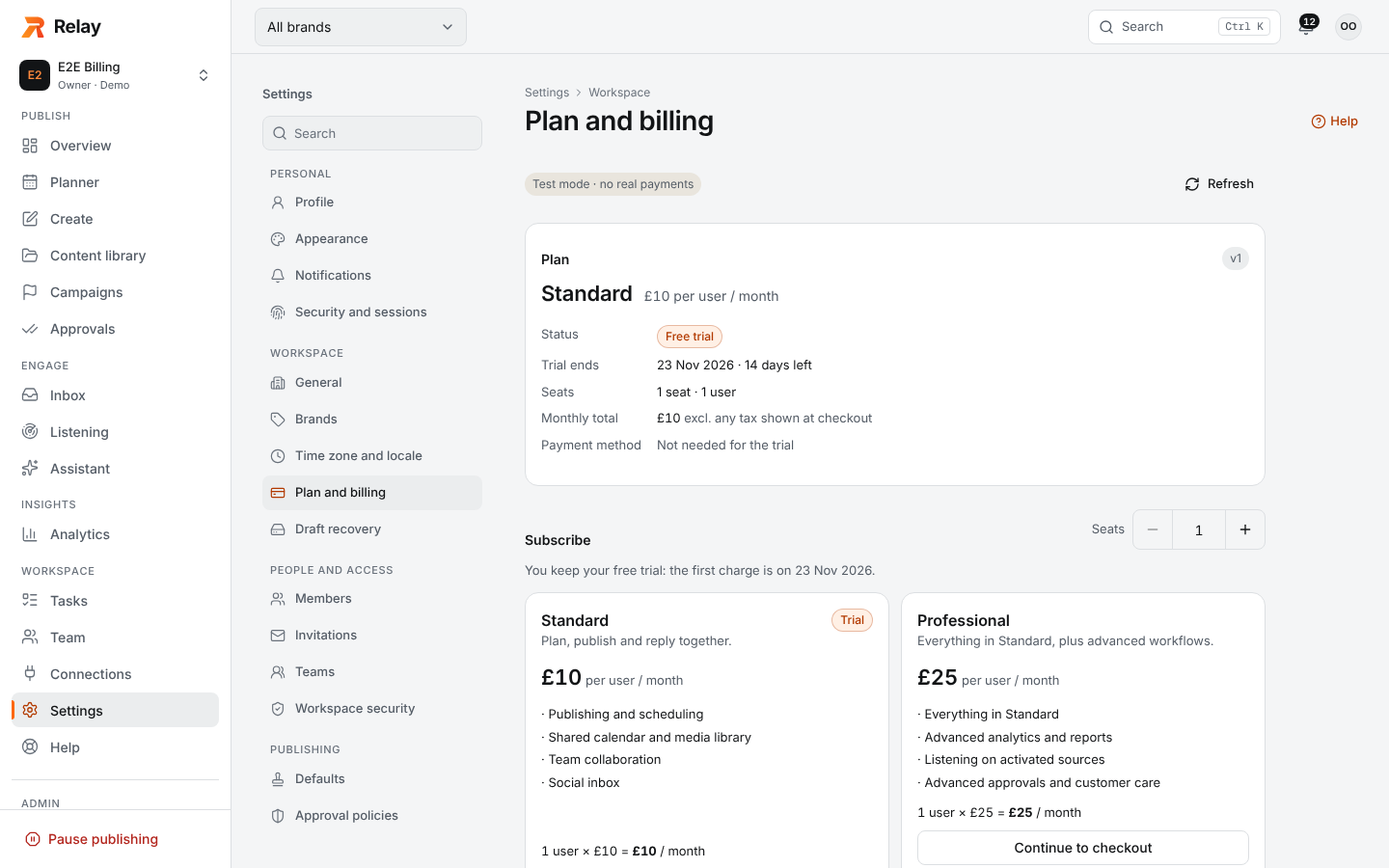
- Result: you're the workspace Owner, and Plan and billing shows Your 14-day free trial has started, the trial end date, billable users and the monthly total after the trial.
Then: connect accounts, invite your team and create your first post (see Getting started).
During the trial
- Every feature of the chosen plan, within trial allowances (for example 100,000 AI tokens and 2 GB storage for the whole trial). Paid X API usage isn't included.
- You can switch the trial plan; the end date stays the same.
- Subscribe any time; the first charge is on the day the trial ends.
When the trial ends without a subscription
The workspace becomes restricted: paid actions pause and scheduled posts are held, not published or deleted. Your data, settings, billing, support and exports stay available. Subscribing restores everything and releases held work that is still on time. See When paid actions are paused.
Limitations
- One trial per workspace. Joining someone else's workspace, refreshing, or starting checkout again never creates or extends a trial.
- If you already belong to a workspace, the trial page sends you to that workspace's billing (You already have a workspace) instead of starting another trial; ask an owner to invite you to new workspaces.
- Self-service sign-up must be enabled for your Relay installation.